Tuesday, March 3, 2009

examples of good digital representation, part II

David mentioned in class last week the work of Brian Healy:


This office uses a wide range of representation techniques, from hand drawing and physical modeling to pretty realistic computer renderings.  Again, it all starts with an idea of what you want to highlight or express about a building.  Hopefully by now you are able to pick out specific digital techniques when you look at professionally done graphics, and the best way to learn is to try to replicate the techniques that you like in your own work (and steer clear of those that you see a lot...like the default sketchup sky).

A good way to find drawings and models is to look at the "in progress" or "competitions" sections of good architecture firms' websites.  Since those buildings aren't built yet, typically they only have renderings and drawings of the projects.  An example would be the Miller Hull Partnership:


and atelierjones:


have a good spring break and we'll see you next week!

Friday, February 20, 2009

AutoCAD ctb files

"The ctb files will magically appear"

If you are having trouble getting .ctb plot styles to appear in your plot dialogue window, but already have the .ctb files (Like David's 1-8 and 1-16) in your plot style manager folder, try typing CONVERTPSTYLES. See this page for details.

Wednesday, February 18, 2009

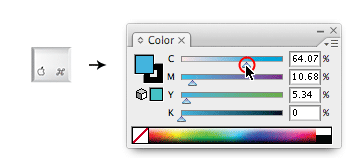
illustrator dotted lines.......

A simple tutorial on drawing dotted lines in illustrator. Follow this link......

Tuesday, February 17, 2009

Photoshop Wiki

I just came across this AWESOME wiki page --- a fantastic photoshop resource. Unbelievable set of links for tutorials, textures, images, FAQ's, tool descriptions.....

Illustrator 1


Let's start with a resource for key shortcuts. Here is a collection of shortcuts that are pretty well explained.

Another page, here, has lots of video tutorials on many aspects of Illustrator, from beginning to advanced.


Lastly, here's a very good tutorial on the use of the pen tool. When you get the basics of the pen tool down, try this out. The pen tool is very important in Illustrator, and this tutorial will help you get the most out of it.

Tuesday, February 3, 2009

SketchUp Layers


"Additional notes about layers: Be happy! Always draw your entities on Layer 0. (Did we say that already?)"

Here's yet another page of SU layers instruction, which by now should make sense and should help you fill in the gaps on how to use them and what they are for. There's a video, too!

Here's the link

Wednesday, January 28, 2009

SketchUp quick reference

This links to the quick reference card for SketchUp that David mentioned recently.

Sunday, January 25, 2009

examples of good digital representation


As we move into 3d modeling with sketchup, I thought it might be useful to provide a few links for architecture firms that use photoshop and 3d modeling well to enhance their representation. Once you become familiar with the basics of using people, tone, and materials in a balanced manner, you will start to see that some of what these firms do is actually quite simple. And as is true with hand drawings, the best graphics start with an idea of what you want to communicate:


http://www.officeda.com/ (in particular, check out "elemental" under the housing section)

http://www.shoparc.com/ (check out the portland aerial tram)

http://www.marblefairbanks.com/ (in particular, the glen oaks branch library)

www.iwamotoscott.com (in particular, under "Institutional" check out Wurster Hall)

Feel free to respond with links of your own if you come across digital graphics that you think work well.

Monday, January 19, 2009

SketchUp 1


First things first: Group early and often. (if you don't understand now don't worry - you will very soon)

Links from the syllabus:

http://sketchup.google.com/training/
This is the product homepage. You can get to video tutorials as well as self-paced tutorials.

http://sketchup.google.com/training/videos/new_to_gsu.html
This is probably the best place to start.

http://www.go-2-school.com/podcasts
This links to The SketchUp Show. Use this for information related to a specific topic, once you're up and running, by browsing the episode titles.

Thursday, January 15, 2009

More Photoshop Links


PHOTOSHOP SHORTCUTS: "It is proven that by using software shortcuts can boost up productivity. Here are 30 secret Photoshop shortcuts that I’ve learned from years of experience. Well, what I mean by "secret"...."
http://www.webdesignerwall.com/tutorials/photoshop-secret-shortcuts/
SELECTION TOOLS: Here are descriptions of the basic selection tools. They are good at different times for different things, so if you get the chance try them all out on objects you want to bring into your work. If you get a selection that has a bad or unconvincing edge to it, try different settings on your tool, or try a different tool.
http://iit.bloomu.edu/vthc/Photoshop/BLENDING/selectiontools.htm
What this link to iit doesn't include is the "Quick Selection" tool, which is new in CS3 and works really really well at isolating an image if you don't have a solid color background (in which case you'd probably use the MagicWand)
http://www.adobe.com/designcenter/video_workshop/
------go to the video called "making and refining selections" for a great tutorial on the quick selection tool------

Wednesday, January 14, 2009

Introducing the Blog


THE IDEA: I'm hoping that this blog can act as a convenient way to share and manage electronic resources for ARC 251. The types of resources are wide open: video tutorials, cool rendering examples, lists of shortcuts, user forums, etc. It is a place to dump anything helpful that you find on your own so that others in the class can check it out also.

One of the important aspects of the course will be your familiarization with online resources so that no matter which software application you're using in the future, you will know how to find answers to the questions that will arise.


I'll try to set a pattern up in the formatting of posts so that things can stay organized by program (Photoshop stuff with photoshop stuff for example), so if you can see a pattern try to match it.


Basically, go out and find the coolest stuff online and share it with the rest of us!